
Messages keeps every conversation with your creators next to the collaboration it belongs to.
Step by step
Go to Messages
Click Messages in the left menu; the number counts unread conversations. A conversation opens as soon as you invite a creator, with your offer as the first message.
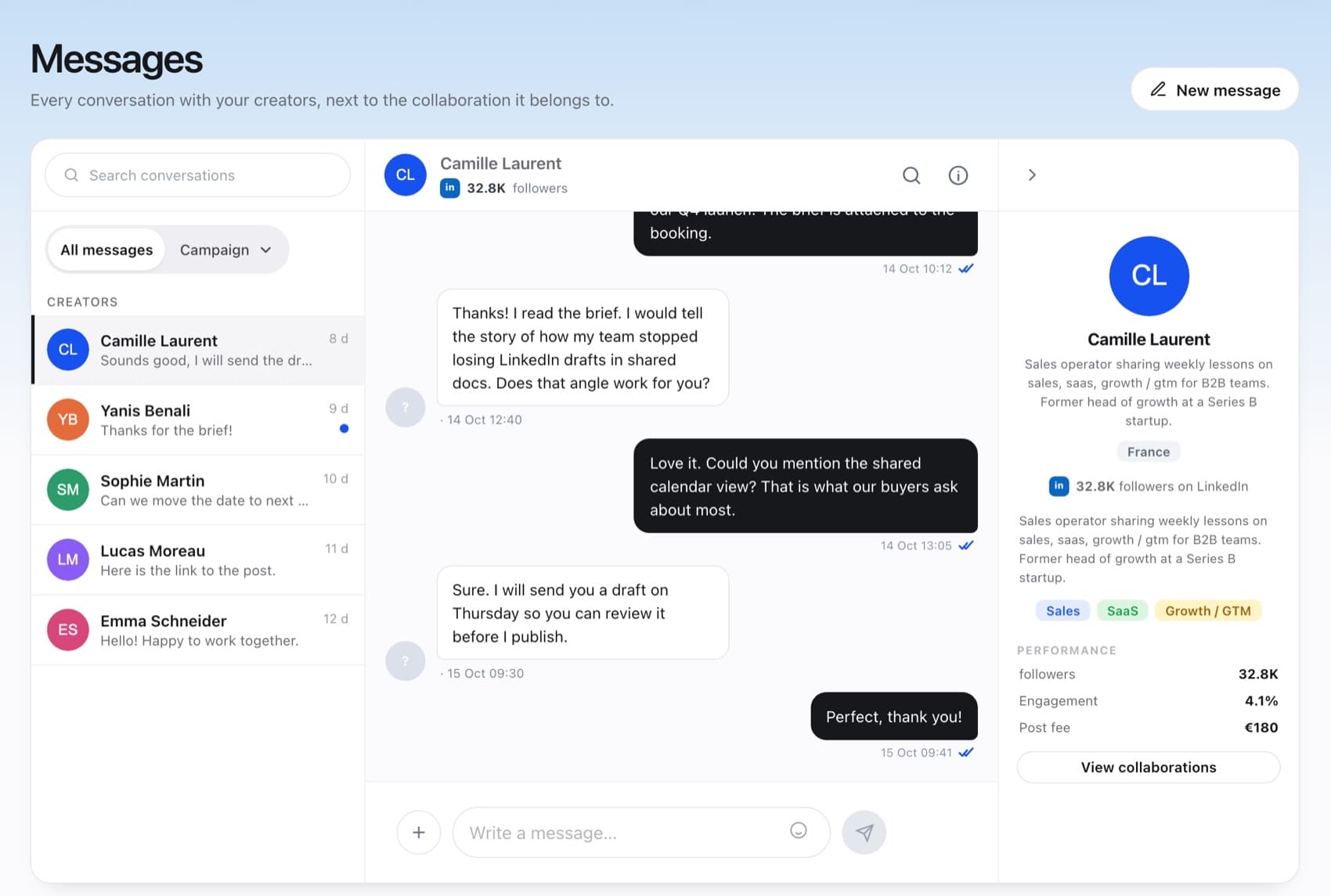
Conversations on the left, the thread in the middle, the creator on the right. Find the right thread
Use Search conversations, or switch from All messages to Campaign to see every creator of one campaign.
Write and attach
Type in Write a message…. Use + to add an image, a video or a PDF.
Start a new conversation
New message lists your collaborations: choose one, then Message creator.
Reply to drafts quickly. While a draft waits for your review, the creator can't publish, and the deadline still applies.
FAQ
Can I message a creator before booking them?
Conversations start with an invitation. Once you invite a creator, the thread opens with your offer and you can write to them there.
Where is the brief the creator accepted?
The conversation keeps a snapshot of the brief at acceptance. Open the campaign for the current version.
What are campaign chats?
A chat with every creator who has an active booking on a campaign. Creators join when their booking starts and leave when it ends.