
Each creator on Naano sets a fixed price per post, shown before you book. This guide takes you from the creator list to a sent invitation.
Before you start: you need a campaign with a brief. If you don't have one yet, the booking window offers to create it. See Create a campaign.
Step by step
Open Creators
Click Creators in the left menu, then Browse creators. The first row, Recommended for you, is ranked for your brand using your target audience. Narrow the list with Industry, Country, Price / post and Format, or search a name.
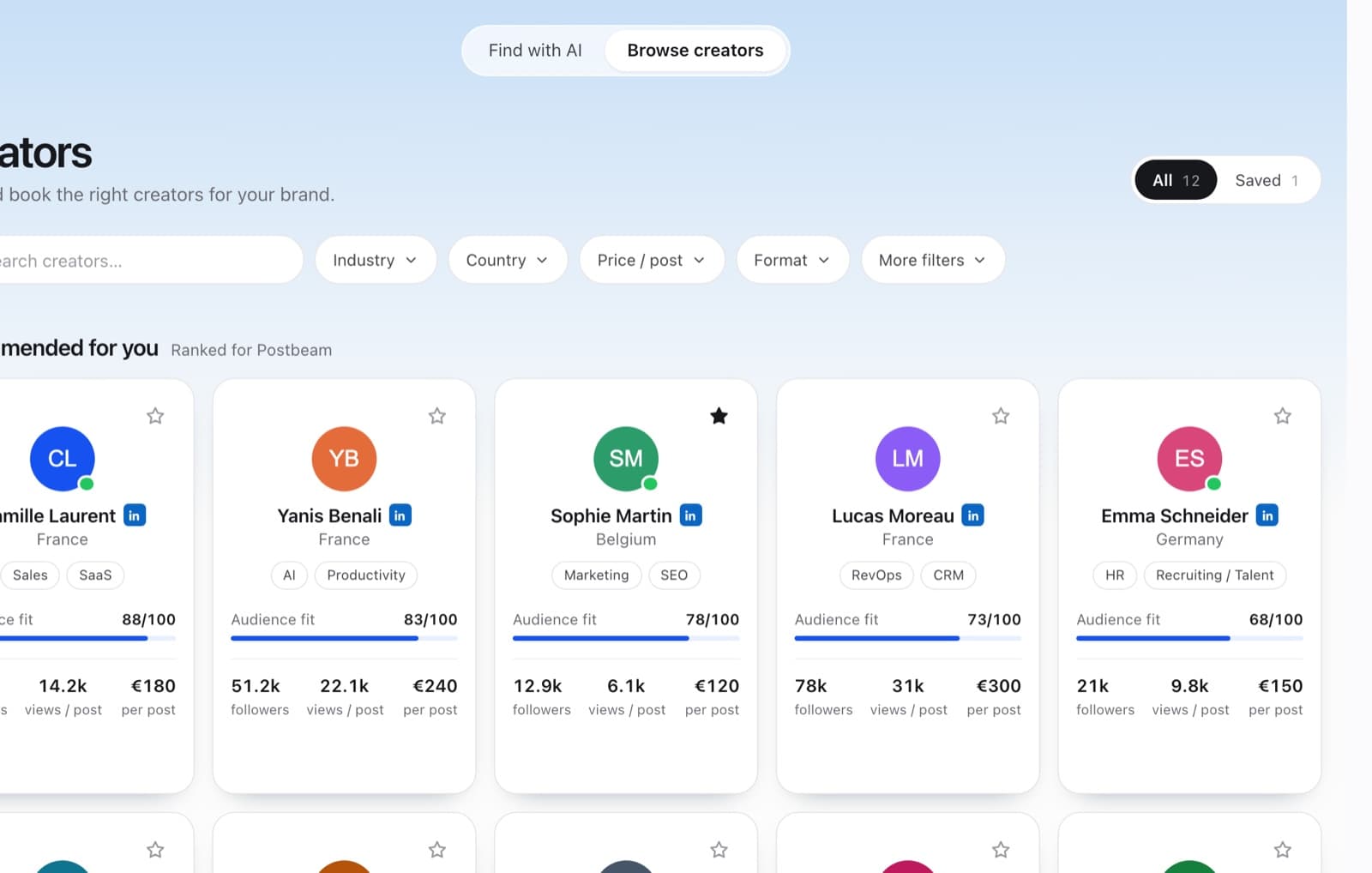
Each card shows the audience fit score, followers, typical views per post and the price per post. Check the profile
Click a card to open the profile. Overview, Audience, Content and Profile show who follows the creator and what they post about. The offers sit at the bottom: a single post, sometimes a bundle.
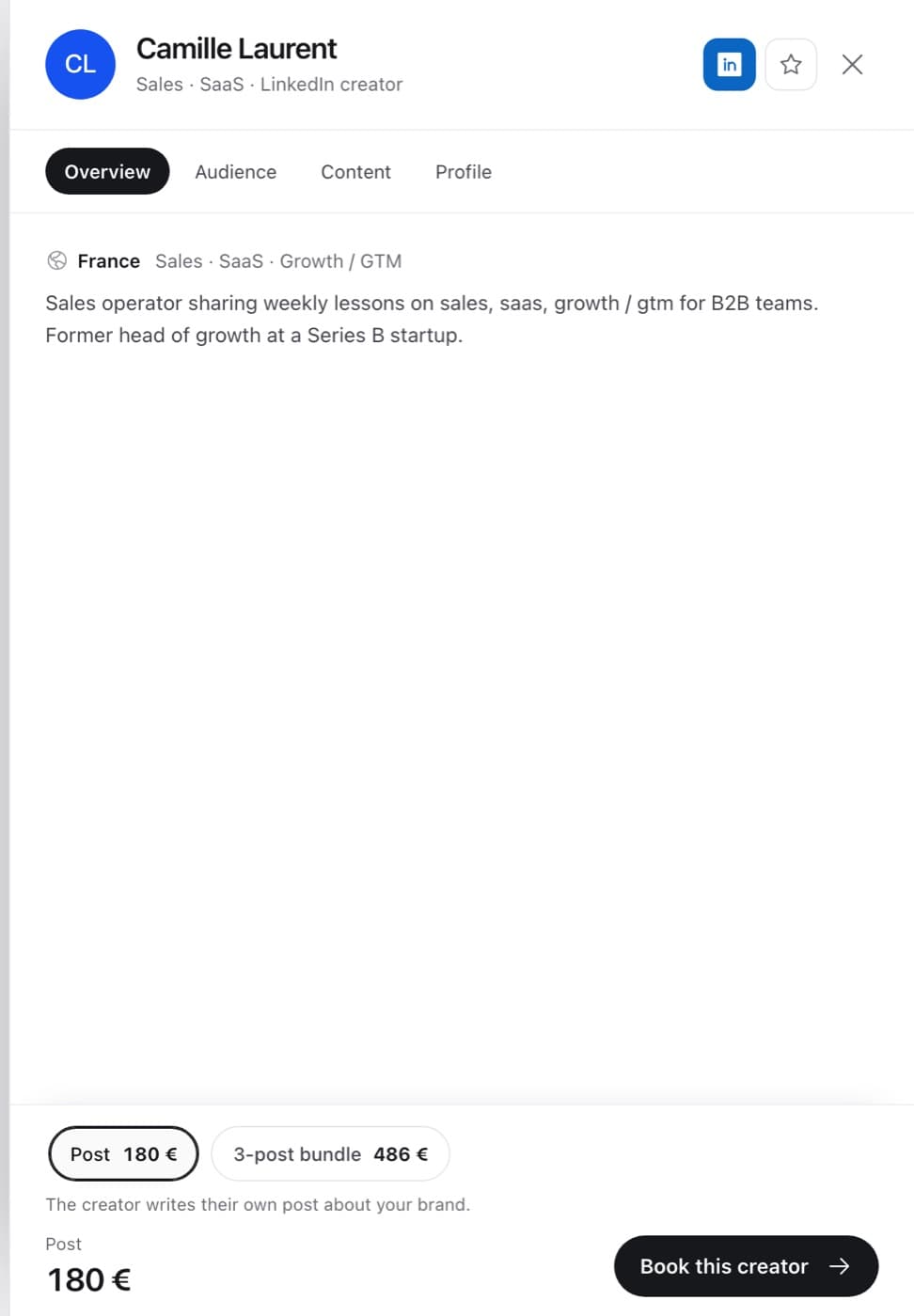
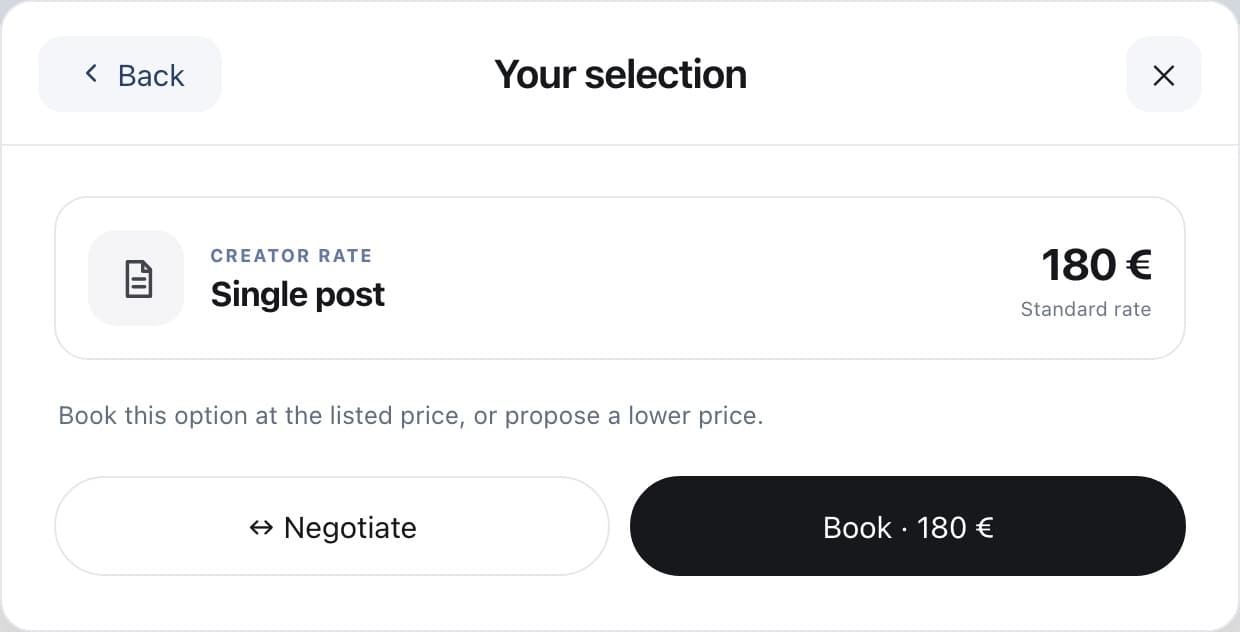
Pick an offer, then click Book this creator. Book at the price, or negotiate
Choose Book · €180 to accept the listed price, or Negotiate to propose a lower one. See Make an offer below the listed price.
Set the date, campaign and approval
Post by is the latest publication date: 14 days from today by default, between 6 and 30 days. Campaign is the brief the creator receives. Tick I want to approve the content before it is published to review the draft first.
Choose how to pay
Pay with your wallet uses your Naano balance. Pay by card opens Stripe's secure checkout for the exact amount, so you don't need to top up first.
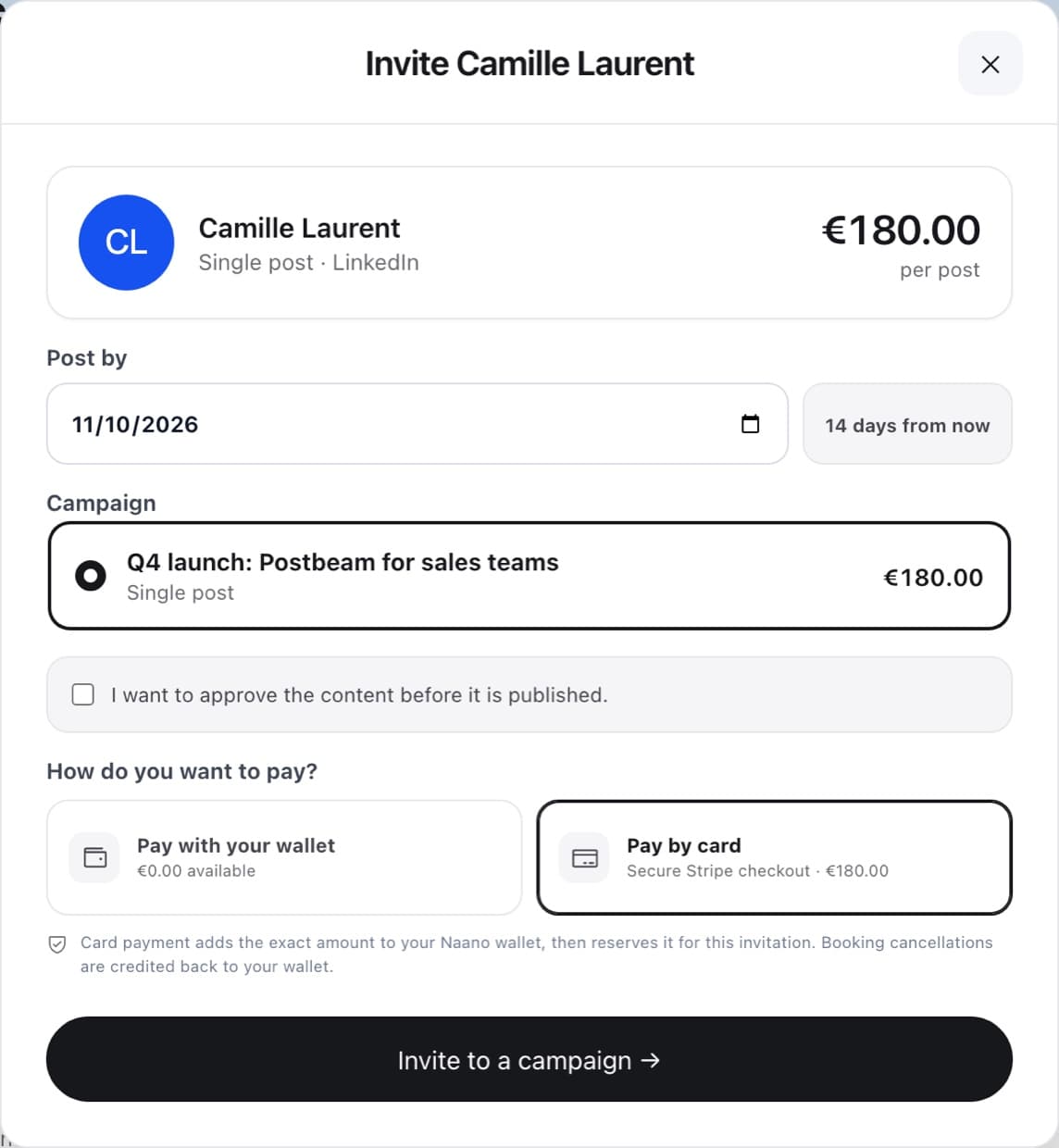
With no balance, card payment is selected for you. Send the invitation
Click Invite to a campaign. The creator gets your offer and brief by email and in Naano, and a conversation with them opens in Messages.
What happens next
- Awaiting creator
- The creator reviews your offer. Nothing to do on your side.
- Awaiting the post
- The creator accepted and is preparing the post. The amount stays reserved until publication.
- Draft to review
- Only if you asked to approve the content. Approve it or request changes in Messages.
- Posted
- The creator submitted the link to their post. Their payment is released.
- Declined or expired
- Nothing is spent. Any reserved amount goes back to your Naano balance.
FAQ
When is the creator paid?
The amount stays reserved for the booking while the creator works. It is paid to the creator when they submit the link to their post. Approving a draft does not release the payment.
What if the creator declines or doesn't post in time?
Nothing is spent. Any amount reserved for that booking goes back to your Naano balance.
If a booking paid by card is cancelled, is my card refunded?
The amount is credited back to your Naano balance, not to your card.
Do I need to top up my balance first?
No. Top up only if you prefer paying from your balance: the minimum top-up is €500, shown excluding VAT.