
If the listed price doesn't fit your budget, propose your own. The creator accepts, declines or sends a counter-offer.
Step by step
Open Negotiate
Click Book on a creator, then Negotiate.
Choose your price
Pick a 10%, 20% or 30% discount, or choose Other and enter a price. The window shows what the creator will see.
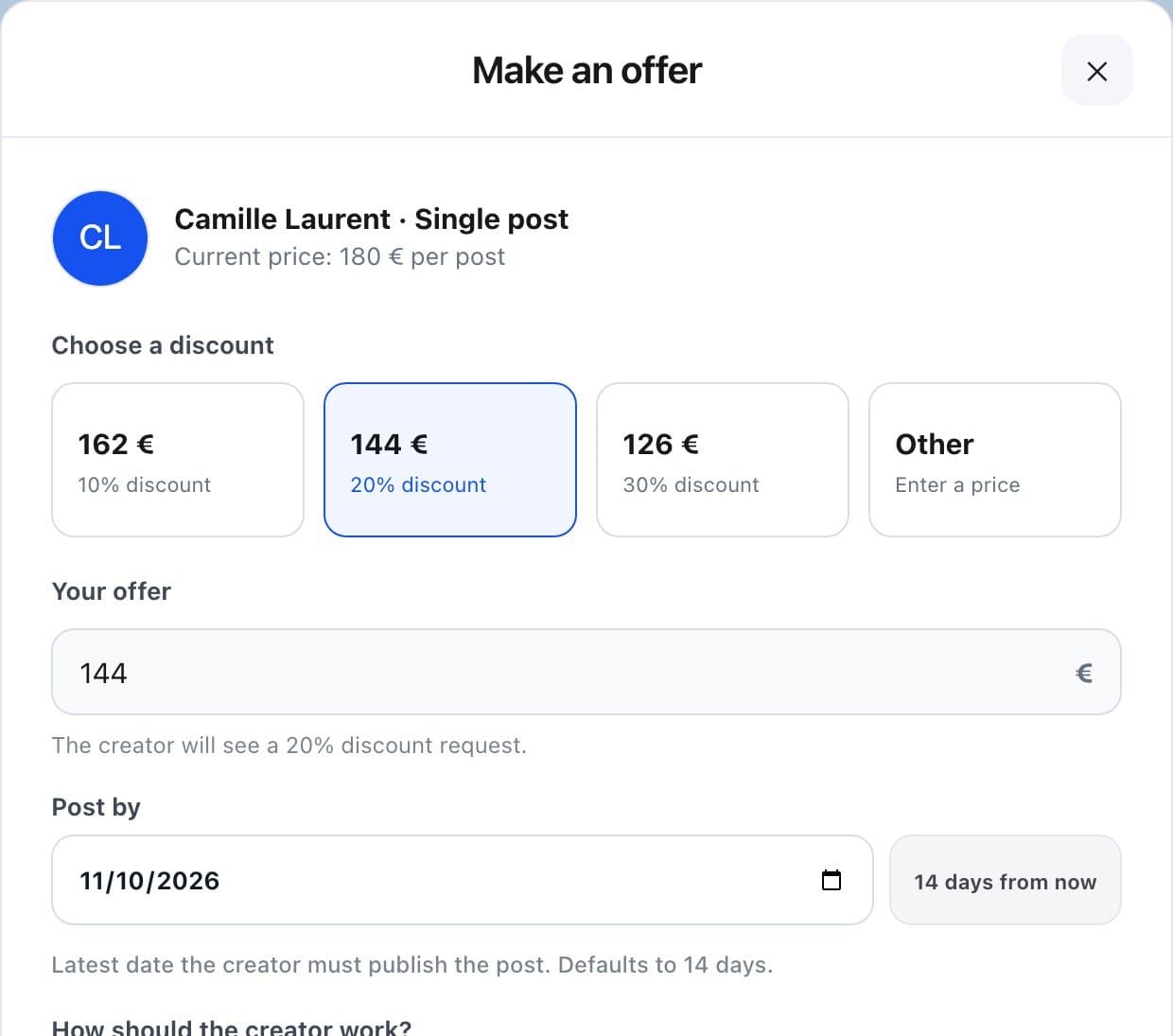
Complete and send
Set the date, the campaign, the approval option and the payment, as for a normal booking.
Follow the answer
The creator has 5 days to answer. If they counter, the counter-offer appears in Messages and you can confirm it.
FAQ
Is money taken when I send an offer?
With your wallet, nothing is held until the creator accepts. Paid by card, the exact amount is added to your Naano balance and reserved right away. If the offer is declined or expires, nothing is spent.
Can I negotiate every format?
Offers apply to posts. Other formats are booked at their listed price.